 Viktar Patotski ·
· Cloud & Cost
· 9 min read
Viktar Patotski ·
· Cloud & Cost
· 9 min read
AWS Graviton: The 20% Cost Cut Most Teams Leave on the Table
Graviton instances cost up to 20% less than the x86 equivalent for the same work. On managed services it is a setting you flip. On your own compute it is a real migration with real gotchas. Here is which workloads move for free, which take effort, and which cannot move at all.
TL;DR - AWS Graviton is Amazon’s own ARM-based chip. The same workload on a Graviton instance costs up to 20% less than the comparable x86 (Intel or AMD) instance, and AWS quotes up to 40% better price-performance across generations. There are two very different ways to get it:
- Managed services: a free win. On RDS, Aurora, ElastiCache, OpenSearch, Lambda, and Fargate you switch the instance type to a Graviton one (
db.r7ginstead ofdb.r6i, for example). AWS already rebuilt the engine. No recompile, no code change. This is the lowest-effort cost lever in AWS.- Your own compute: a real migration. For EC2 and containers you run yourself, ARM64 means recompiling, building multi-arch images, and checking every agent and dependency has an ARM64 build. Worth it at scale, but it is engineering work, not a checkbox.
- Some things cannot move. Windows Server is not supported on Graviton, and anything depending on x86-only instructions (such as AVX-512) stays on x86.
Start with the managed services and stateless services. That captures most of the savings for almost none of the risk.
What Graviton is, in one paragraph
Graviton is the line of ARM-based processors AWS designs in-house. ARM is a different instruction set from the x86 chips Intel and AMD make, which is the whole story of both the upside and the friction. ARM’s design lineage is RISC, a simpler, more power-efficient instruction set than x86’s, which is why Arm chips have long dominated phones and now translate into cheaper, cooler-running servers. (The old “RISC is simpler” line is fuzzier in modern silicon, but the efficiency edge is real, and it is what AWS passes on.) The upside in numbers: Graviton instances are priced up to 20% below the comparable x86 instance, use up to 60% less energy for the same performance, and AWS markets up to 40% better price-performance. (I measured that claim on a real Spring app: +43% to +61% versus Intel, and the reason is not what most people assume.) The friction: software compiled for x86 does not run on ARM without being rebuilt. Where AWS does the rebuilding for you, Graviton is nearly free money. Where you own the binary, you do the work.
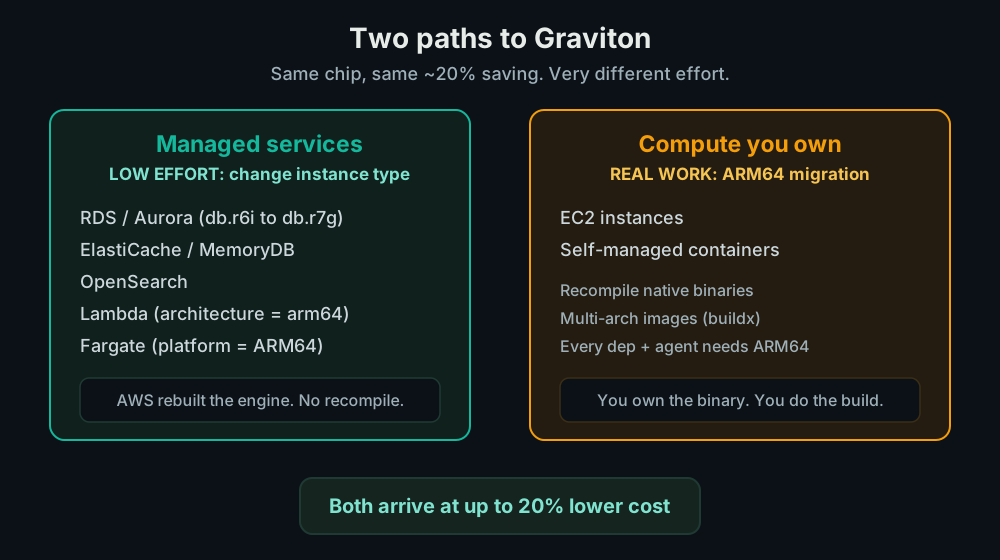
Two paths, very different effort
This is the distinction that decides whether Graviton is an afternoon or a quarter.
Path 1: managed services (flip a setting)
On a managed service, AWS compiles and runs the engine. You never touch the binary. Moving to Graviton is just choosing a Graviton instance class:
- RDS and Aurora: pick
db.r7g/db.r8ginstead ofdb.r6i/db.r5. Same Postgres, same MySQL, your application sees nothing change. AWS states Graviton4-based RDS instances deliver up to 40% better performance and up to 29% better price-performance than Graviton3. If your database is small and runs on a burstable instance, the flip isdb.t3todb.t4g, which is the most common Graviton move for an early SaaS. - ElastiCache, MemoryDB, OpenSearch: same idea, Graviton node types.
- Lambda: set the function architecture to
arm64. Lambda priced lower per GB-second on ARM, and most functions in interpreted languages just work. - Fargate: set the platform architecture to ARM64 for the task.
Across all of these AWS did the rebuilding, so there is no porting on your side. The work is testing that everything still behaves, not changing code.
Path 2: compute you own (recompile and rebuild)
EC2 instances and containers you build yourself are where the migration is real, but how real depends entirely on your language.
- JVM and interpreted languages are mostly portable. Java and Kotlin compile to architecture-neutral JVM bytecode that an ARM64 JVM runs unchanged (the JVM, not your code, is the architecture-specific part). Python, Node.js, and Ruby are interpreted, so the same source runs on the ARM64 build of the runtime. Either way, you swap the container base image to an ARM64 one, rebuild, and the application runs. The work is testing and checking dependencies, not rewriting. If your backend is Java, Python, or Node, this is closer to the flip-a-setting managed case than the heavy migration people fear.
- Compiled languages need an ARM64 build target. Go, Rust, C, C++, and
ahead-of-time .NET produce native x86 binaries that will not run on ARM, so
you recompile for
arm64. Usually a build-flag and CI change, not a rewrite, but it is a real step. - Multi-arch container images. During the transition you build for both
architectures:
docker buildx build --platform linux/amd64,linux/arm64. AWS guidance treats multi-arch as a transition step, not a permanent state. - Every dependency needs an ARM64 build. High-level code is portable, but the native C extensions and third-party libraries underneath it may not ship ARM64 wheels or packages. Those are the surprises.
- Every sidecar and agent too. In Kubernetes, a single x86-only DaemonSet, monitoring agent, security scanner, or logging driver will stop a pod from scheduling on a Graviton node. Verify the whole supporting cast before you move the app.
One rule that matters: do not paper over a missing ARM64 build with x86 emulation (QEMU) in production. Emulation overhead eats the exact price-performance gain you came for.
What cannot move
Two hard stops, worth knowing before you plan anything:
- Windows Server is not supported on Graviton. Those workloads stay on x86.
- x86-only instructions. If a workload depends on AVX-512 or other proprietary Intel instruction sets, it stays on x86 too. This is rare in typical web and data workloads but real in some HPC, media, and numerical code.
Everything else is a question of effort, not feasibility.
How to sequence it
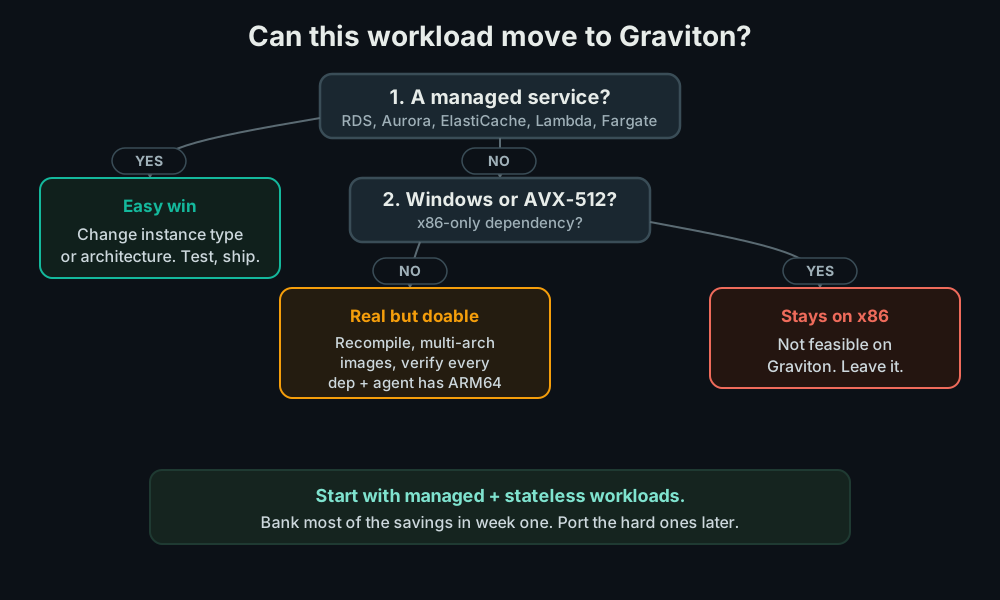
- Managed services first. RDS, Aurora, ElastiCache, OpenSearch. Change the instance class on a non-production cluster, run your test suite, promote. This is the bulk of the savings for almost no risk.
- Lambda and Fargate next. Flip the architecture, test, ship. Interpreted and JVM functions usually move with no code change.
- Stateless services you own. Build multi-arch images, deploy a canary on Graviton, watch latency and error rate, roll forward.
- Stateful and tricky last. Anything with heavy native dependencies, and leave Windows and AVX-512 workloads on x86 entirely.
Sequencing this way means you bank the easy 20% on the managed tier in week one, and the genuinely hard ports happen later, on the workloads where the savings justify the effort.
The traps
Assuming it is all hard. Teams hear “recompile for ARM” and skip Graviton entirely, missing the managed-service win that needed no recompile at all. The RDS and Aurora switch is the cheapest cost cut in AWS and gets left undone.
Assuming it is all easy. The opposite mistake: flipping a container service to ARM64 and discovering in production that a logging sidecar has no ARM64 build and silently degraded. Verify the supporting cast first.
Emulating instead of porting. Hit a dependency with no ARM64 build and emulation looks like the shortcut to “get there faster.” Do not take it in production: replace the dependency or leave that one workload on x86.
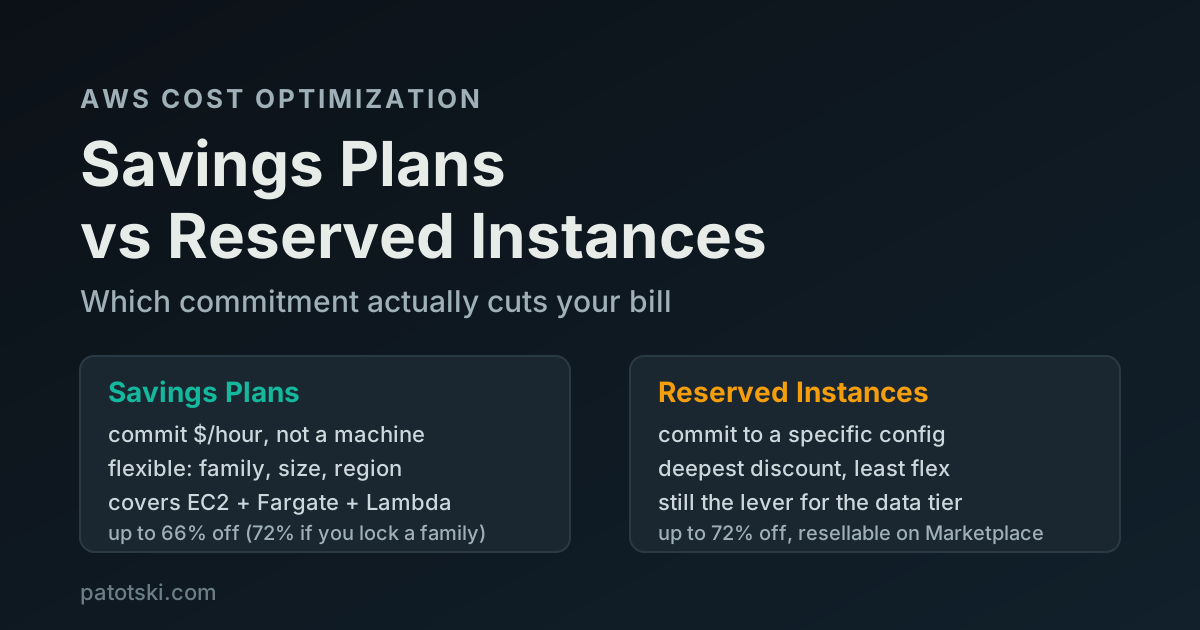
Forgetting to re-commit. Graviton instances have their own Reserved Instance and Savings Plan rates. After you migrate, the commitment you bought for x86 does not cover the new ARM instances. Re-size the commitment to the new fleet, or you are paying On-Demand on the very instances you moved to save money.
Do the math (illustrative)
Say you run $20,000/month of steady compute, split as roughly $12k managed
databases (RDS plus ElastiCache) and $8k EC2 and containers you own. Numbers
below are illustrative public-pricing math, not a quote.
| Move | Effort | Rough monthly saving |
|---|---|---|
Managed tier to Graviton (db.r7g etc) | low (testing) | ~$2,000 to $2,400 |
| Stateless owned services to ARM64 | medium | ~$1,200 to $1,600 |
| Re-commit the new fleet (RI / Savings Plan) | low | stacks on top |
The first row is the point: roughly a fifth off $12k of database spend for
the cost of running your test suite against a Graviton replica. The second row
is real work and pays a bit less, which is exactly why you do the managed tier
first and the ports second.
Summary
Graviton is up to 20% cheaper than x86 for the same work, and the savings come in two tiers. On managed services (RDS, Aurora, ElastiCache, OpenSearch, Lambda, Fargate) it is a setting you change, with no recompile, and it is the single cheapest cost lever in AWS. On compute you own it is a genuine ARM64 migration: recompile, multi-arch images, and verify every dependency and agent. Windows and AVX-512 workloads stay on x86. Do the managed tier first to bank most of the savings fast, then port the owned services where the numbers justify it, and re-commit the new fleet so a Reserved Instance still covers it.
For the commitment side, see Savings Plans vs Reserved Instances, and for the database bill specifically, Amazon Aurora cost and how to reduce AWS RDS costs.
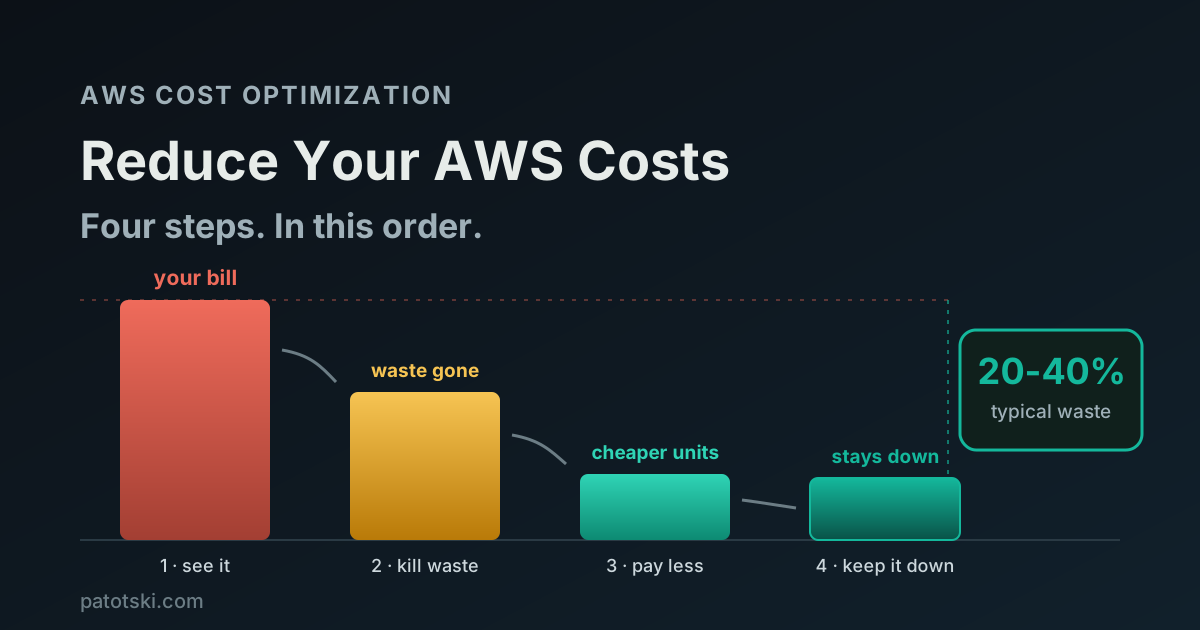
Want a Graviton migration plan that starts with the free wins? I do this as part of AWS Cost Optimization. Book a free 30-minute call and I will map which of your workloads move for nothing and which are worth the engineering. Or grab the free AWS cost checklist and start yourself.